Shows in red ahead of time
“A customer went two months without a visit, and called to complain.”
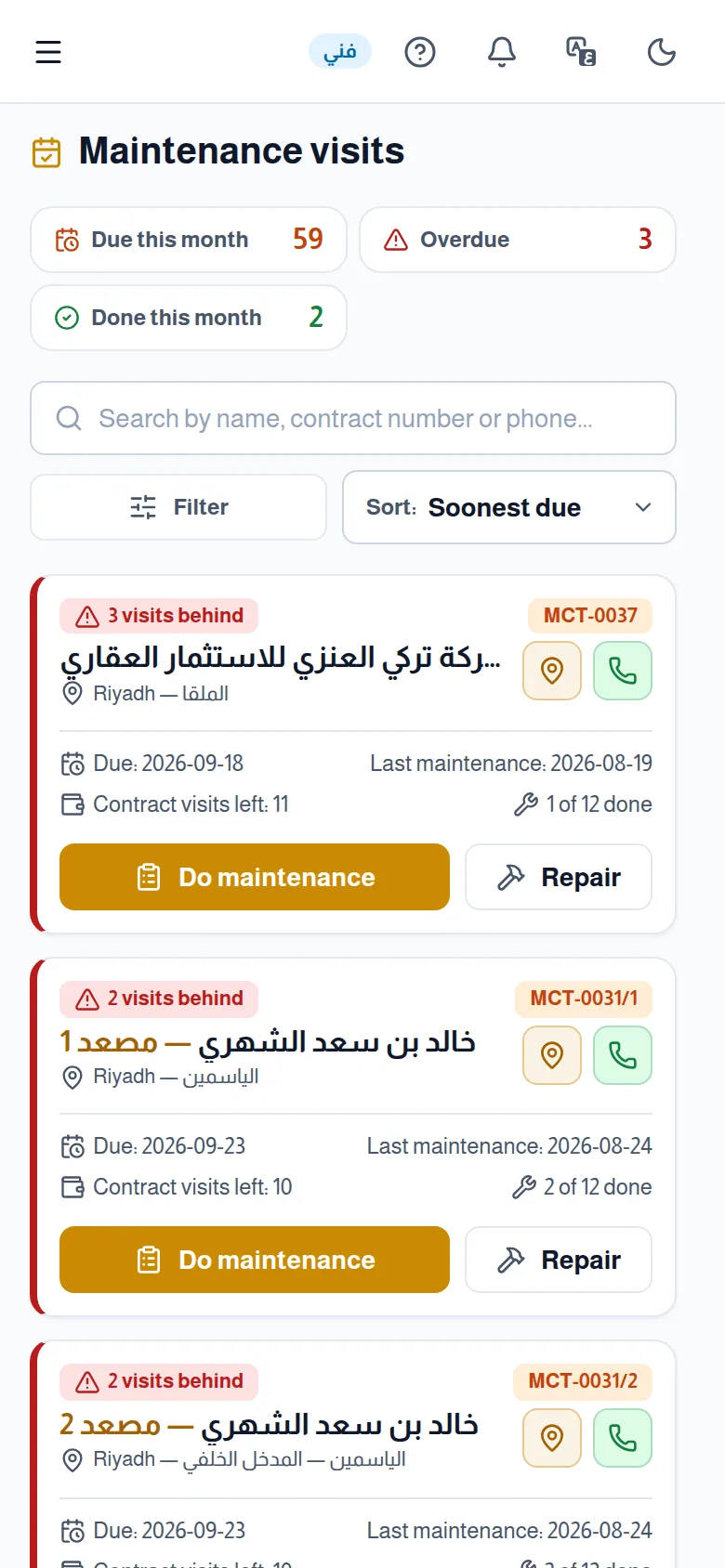
Every maintenance contract has a visit plan. An overdue visit shows in red before the customer calls, with the number of missed visits.

Quotations and contracts, the technician’s daily plan, signed visit reports and collections, all in one place. And no paper.
Built with an elevator company that runs on it every day
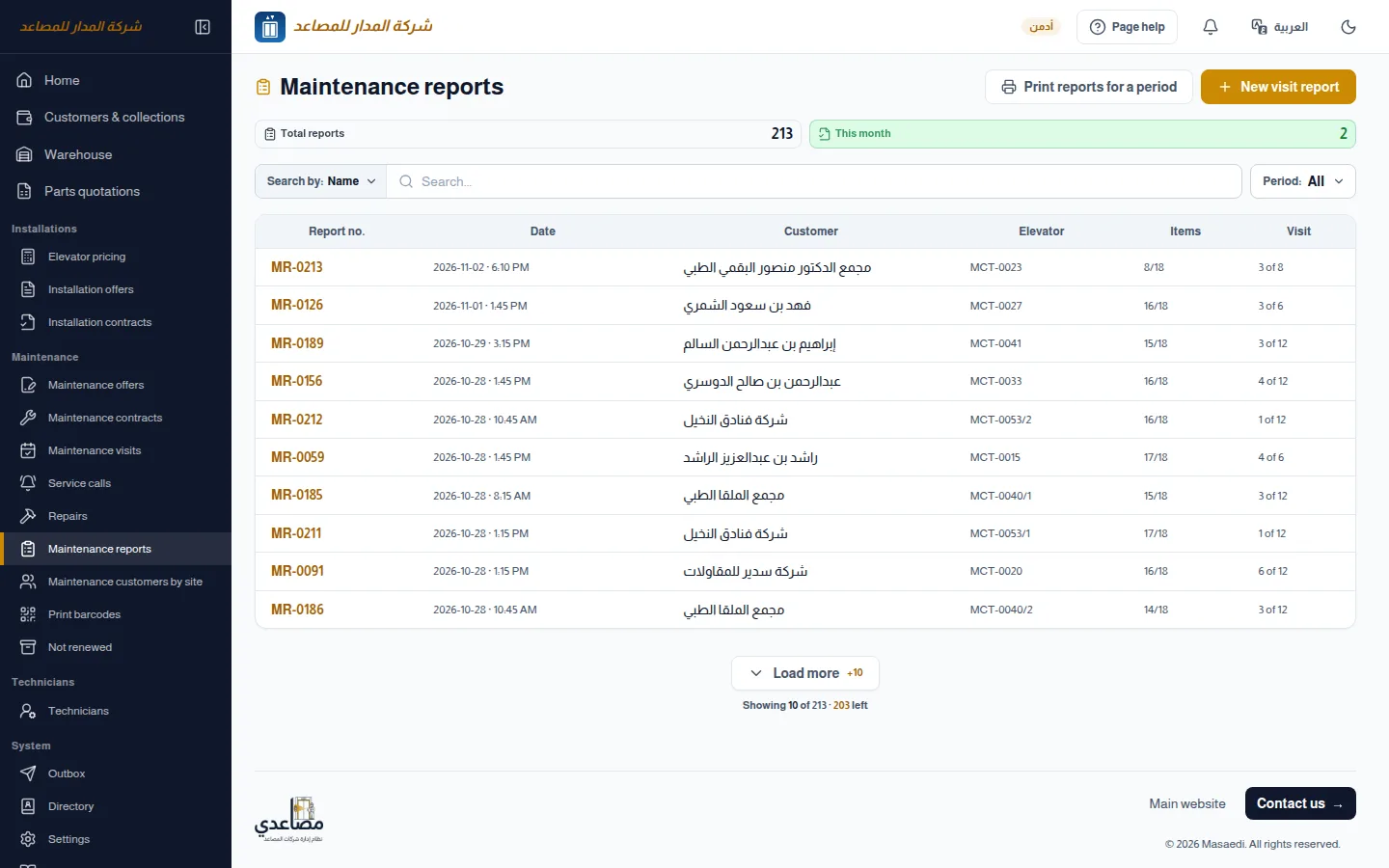
Instead of dozens of phone calls and lost papers, this is how Masaedi solves each problem.
“A customer went two months without a visit, and called to complain.”
Every maintenance contract has a visit plan. An overdue visit shows in red before the customer calls, with the number of missed visits.
“The second installment was forgotten, and nobody asked for it.”
Every installment has a due date. The collections page shows who owes money today and who is late, and from there you record the payment and print the receipt.
“The technician calls every morning: where do I go today?”
The technician opens the day’s plan on the phone, sorted by district, with no prices. From there, one tap opens the building on the map or calls the customer.
“The contract ended, and nobody called the customer to renew.”
Contracts ending within a month appear in one list. Renew a contract with one tap, and the new year’s visit plan starts.
Every visit ends with a signed report, waiting in your office with its date and time.


Service calls
Service call RPR-0032The elevator is stuck on the third floor
Fixed, and the report is on your page
A guide to field and office work
Everyone in your company gets only the screen they need: the manager follows all the work, sales and collections close the contracts, and the technician completes the reports on site without paper.
Set up your company once, and follow everything from one screen
From the elevator price to the last installment
The whole day on the phone, with no prices or amounts
Start from the data you have
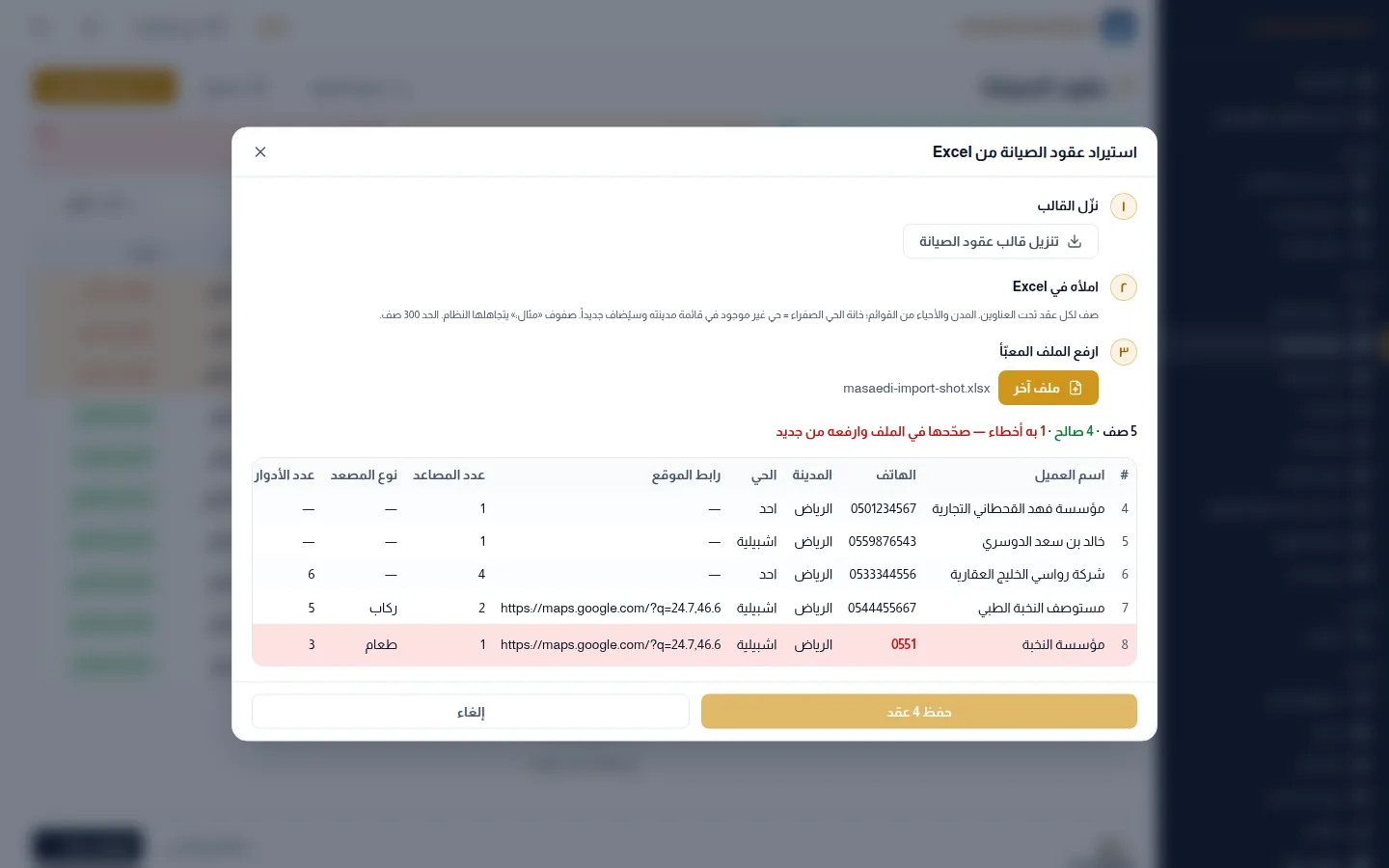
Download the template from Masaedi, fill it with your contracts, then upload it. Before saving you see every row: the valid ones, the ones with an error to fix, and any new district that will be added.
Built around the way you work
We help you build any idea that serves your work: a report you need, a page you wish you had, or a way of working that differs from others.
Send your idea on WhatsAppBefore you start
Didn’t find your answer? Ask us on WhatsApp.
Yes. Nobody but your team sees your company’s data, the connection is encrypted, and we keep an encrypted backup every night on servers in Europe.
It depends on how many elevators you maintain. Start the free 14-day trial and you will see the plans inside the app, or ask us on WhatsApp. Nothing is charged after the trial, and your data stays saved.
No, and that is what makes it useful: the technician’s report reaches your office, and contracts and collections are up to date for everyone. A normal mobile connection is enough for the technician.
No. Masaedi focuses on contracts, visits and collections, and works alongside the accounting software you already use.
No. Open it in the browser on your phone or computer, and start.
Yes. Download the template, fill it with your maintenance or installation contracts, then upload it, and you will see every row before saving. If your file needs tidying up, send it to us and we will help.
Minutes. Create your account, add your contracts or upload them from Excel, and start. If you get stuck at any step, message us on WhatsApp and we will finish it with you.
Create your account in a minute, and add your first contract today.